Know Your Risk Before Your Accounts Do.
Understanding your options risk requires looking at your book as a whole, not just at individual positions or combinations. Where is your real delta exposure? How much theta are you collecting across your book? Where is that risk concentrated, by underlying and by expiration? These are questions that tables and views of individual positions cannot answer.
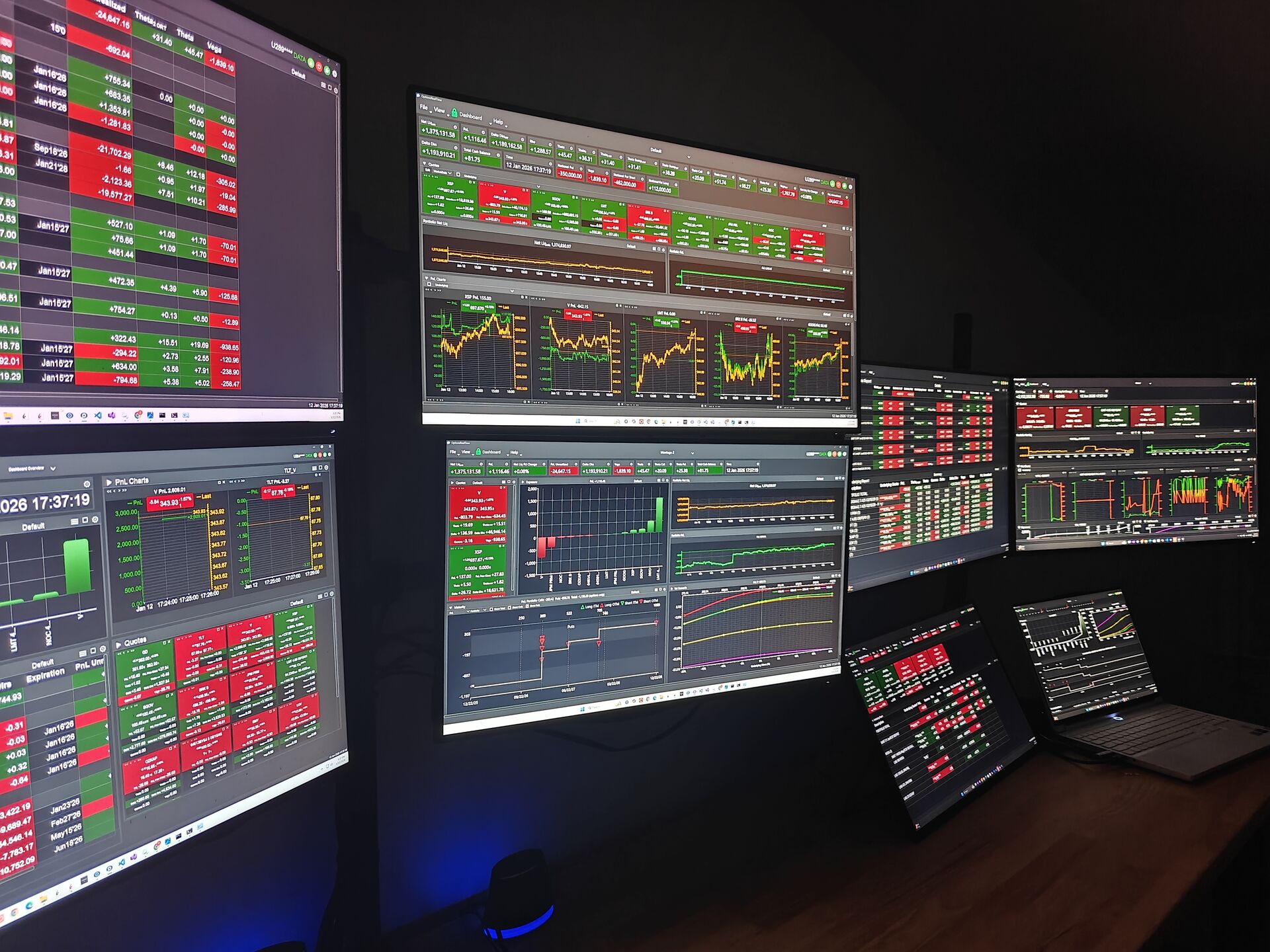
OptionsRealTime was built to answer them. It aggregates your positions, Greeks, PnL, and other exposure metrics across your entire book and gives you a set of visualizations, each examining your risk from a different angle. Exposure by underlying. Exposure by account. Positions mapped by yield. Risk distributed across expiration dates. Vol scenario modeling built directly into every exposure view. A dedicated chart showing how your positions in any underlying respond across price and volatility ranges. Each view asks a different question. Together they tell you what your book actually looks like.
If you manage multiple IBKR accounts, every view in the platform reflects your account selection. Choose one, several, or all, and every chart, report, and metric reconfigures around that selection. You can see how much each account contributes to the total. Accounts that look fine individually may combine to give more exposure in an underlying than desired. Or you may find a hedging opportunity between accounts you would otherwise miss. Managing accounts one at a time limits what you can see. Multi-account risk management gives you visibility that is very difficult to achieve any other way.
The Platform
Browser-Based. Runs Privately On Your Network. Every view reflects any combination of your accounts. A broad selection of metrics available to every component. Price and vol scenario modeling built into every exposure view.
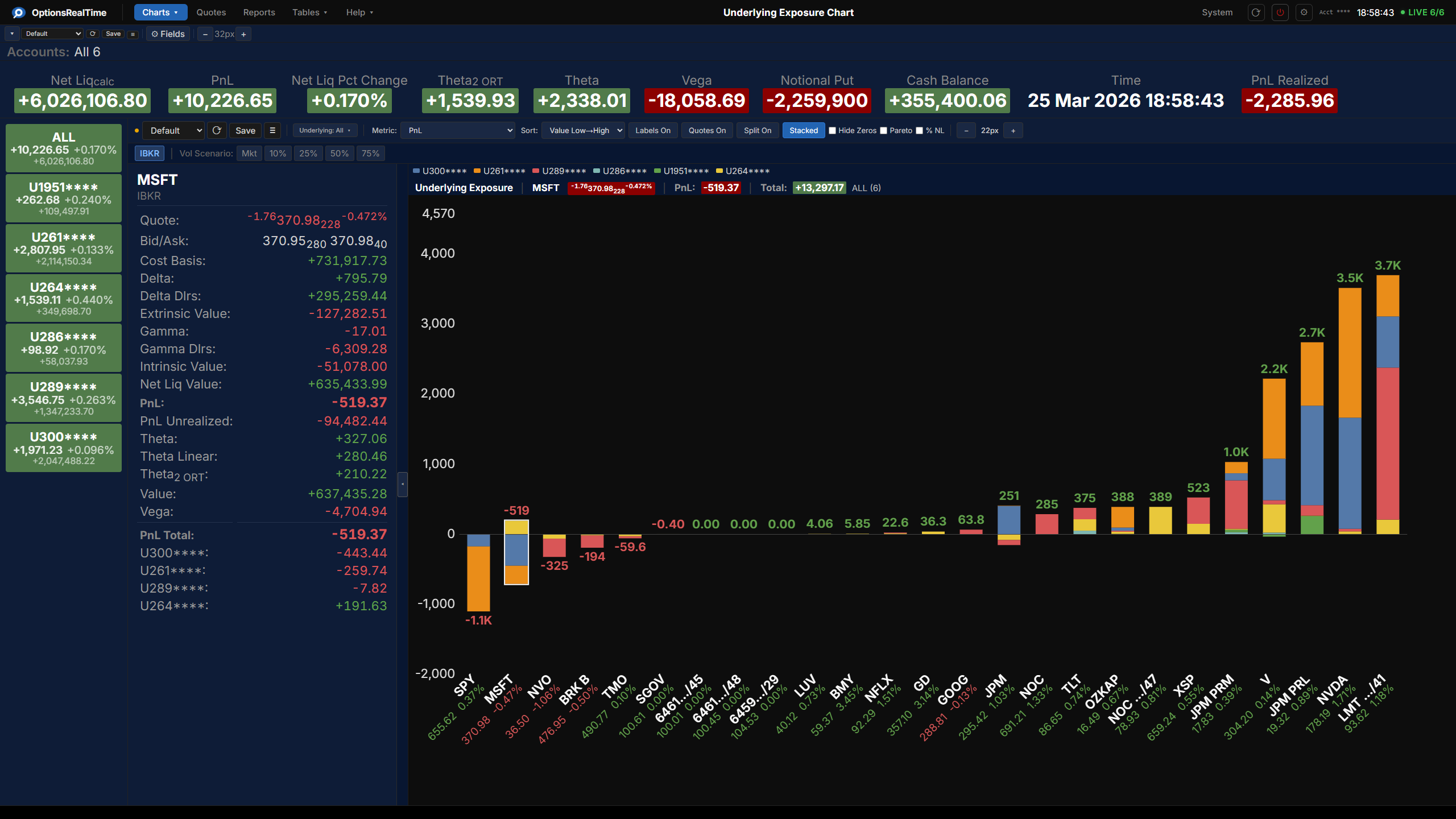
Underlying Exposure
What Happens If Vol Spikes and Price Drops? Now You'll Know.
- Aggregated underlying exposure. Each bar is one underlying, each color segment is one account's contribution
- View by underlying or by account
- Model price and vol shocks live. Right on the chart
- Scenario-test implied volatility at Market, 10%, 25%, 50%, or 75%
- Shift any underlying from -20% to +20%
- Over 70 metrics: PnL, Greeks, value, intrinsic/extrinsic, notional, and more
- Pareto curve shows where your risk concentrates
- Right-click any bar to explore filtered reports and charts
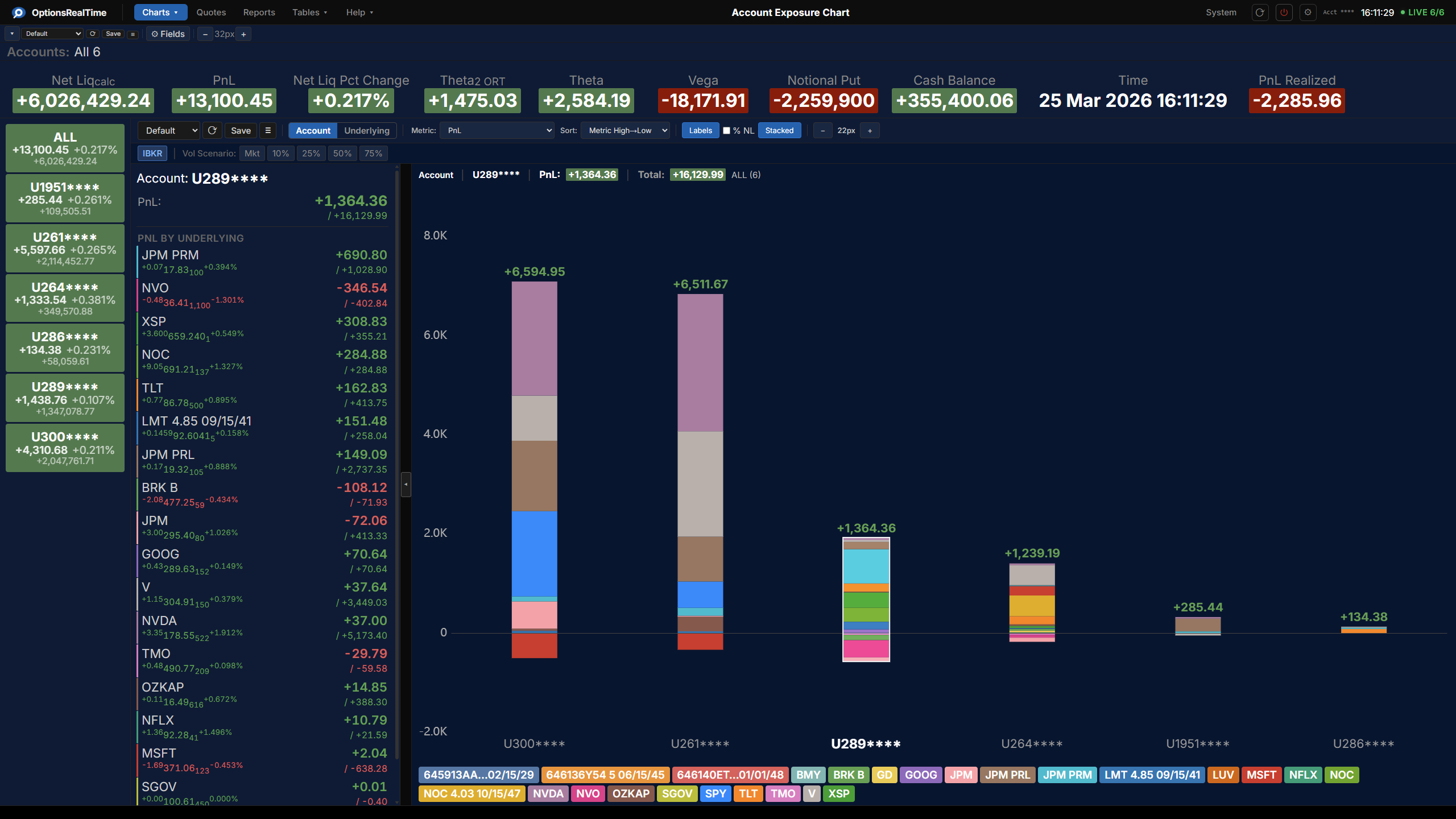
Account Exposure
See Your Risk by Account. Or by Underlying.
- Account view: each bar is an account, segments show underlying contributions
- Underlying view: each bar is an underlying, segments show account contributions
- Stacked and histogram views
- Model price and vol shocks live with the same scenario controls
- Right-click any bar to explore filtered reports and charts
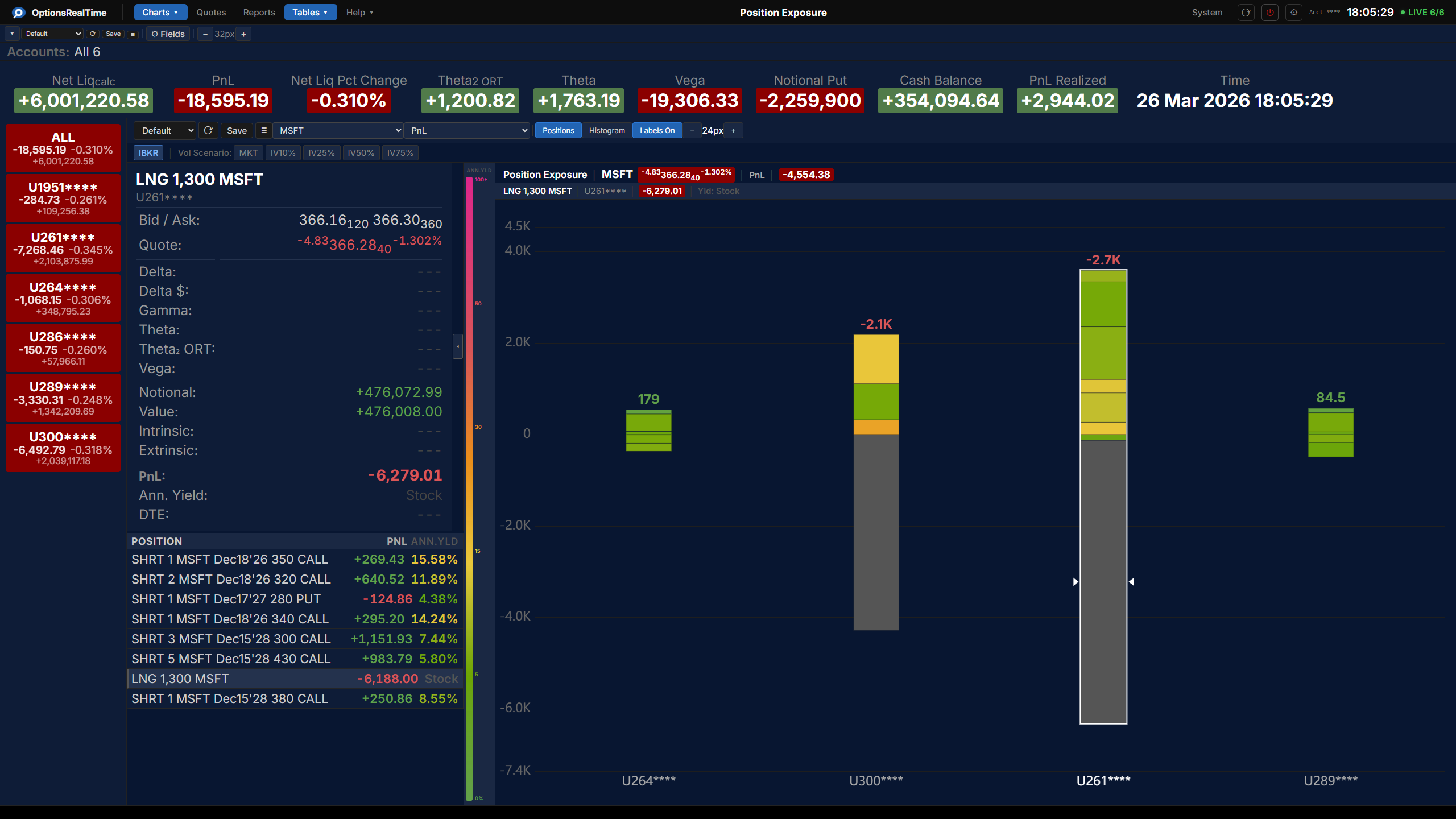
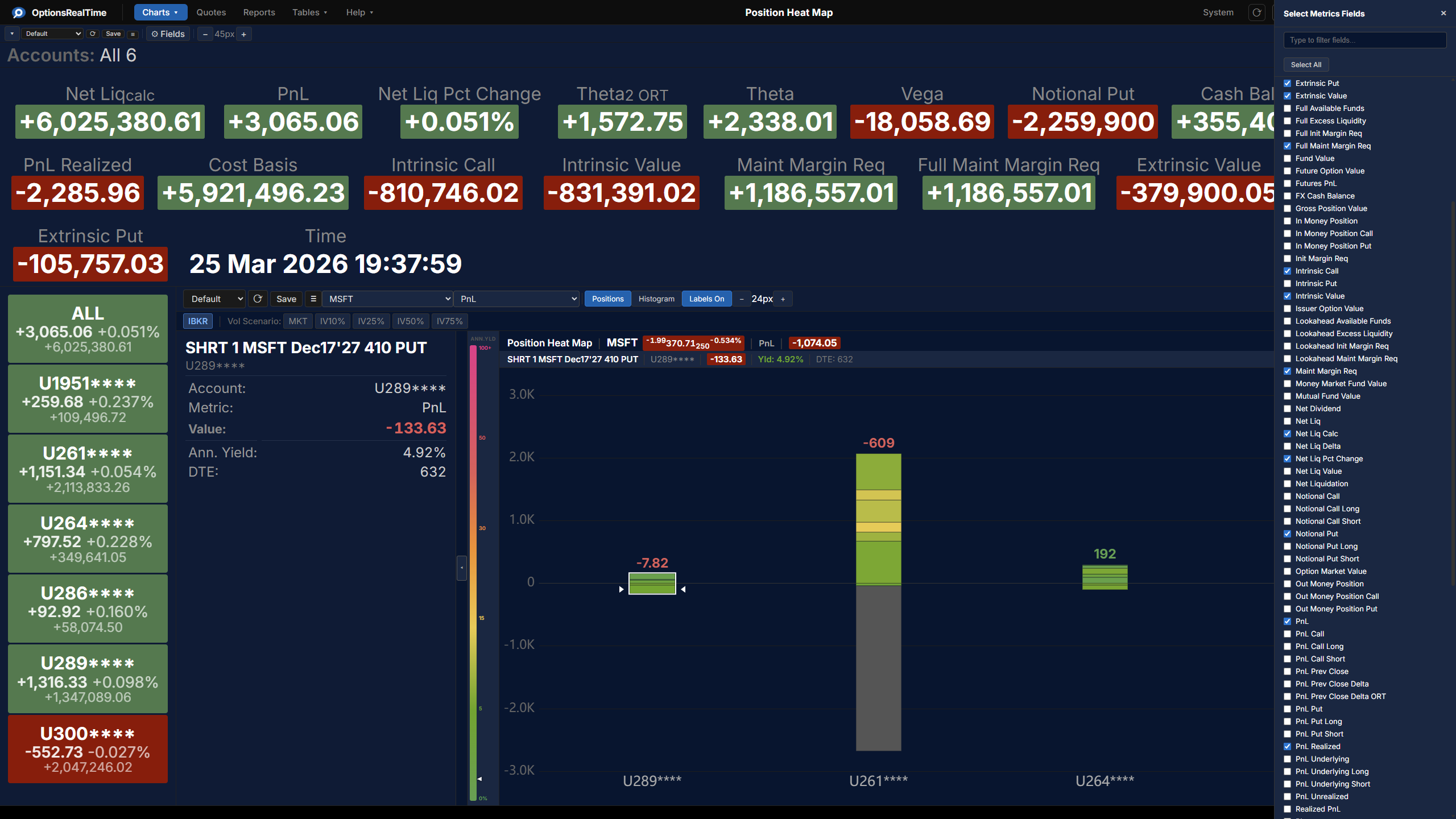
Position Exposure
Every Position. Mapped by Risk. Full Detail on Click.
- All positions for any underlying, across all accounts, in one view
- Positions colorized by annualized yield of extrinsic value. A consistent, normalized risk measure across all positions and accounts
- Click any account bar to inspect every position. Greeks, annualized yield, and full metric detail in one panel
- Select any position to see Bid/Ask, Delta, Theta, Theta₂ ORT, Vega, Notional, Intrinsic, Extrinsic, and more
- Switch between any metric: PnL, Theta, Delta, Vega, and more
- Model price and vol shocks live
- Histogram view groups positions by yield bucket. Click any bin to inspect every position within it across all accounts
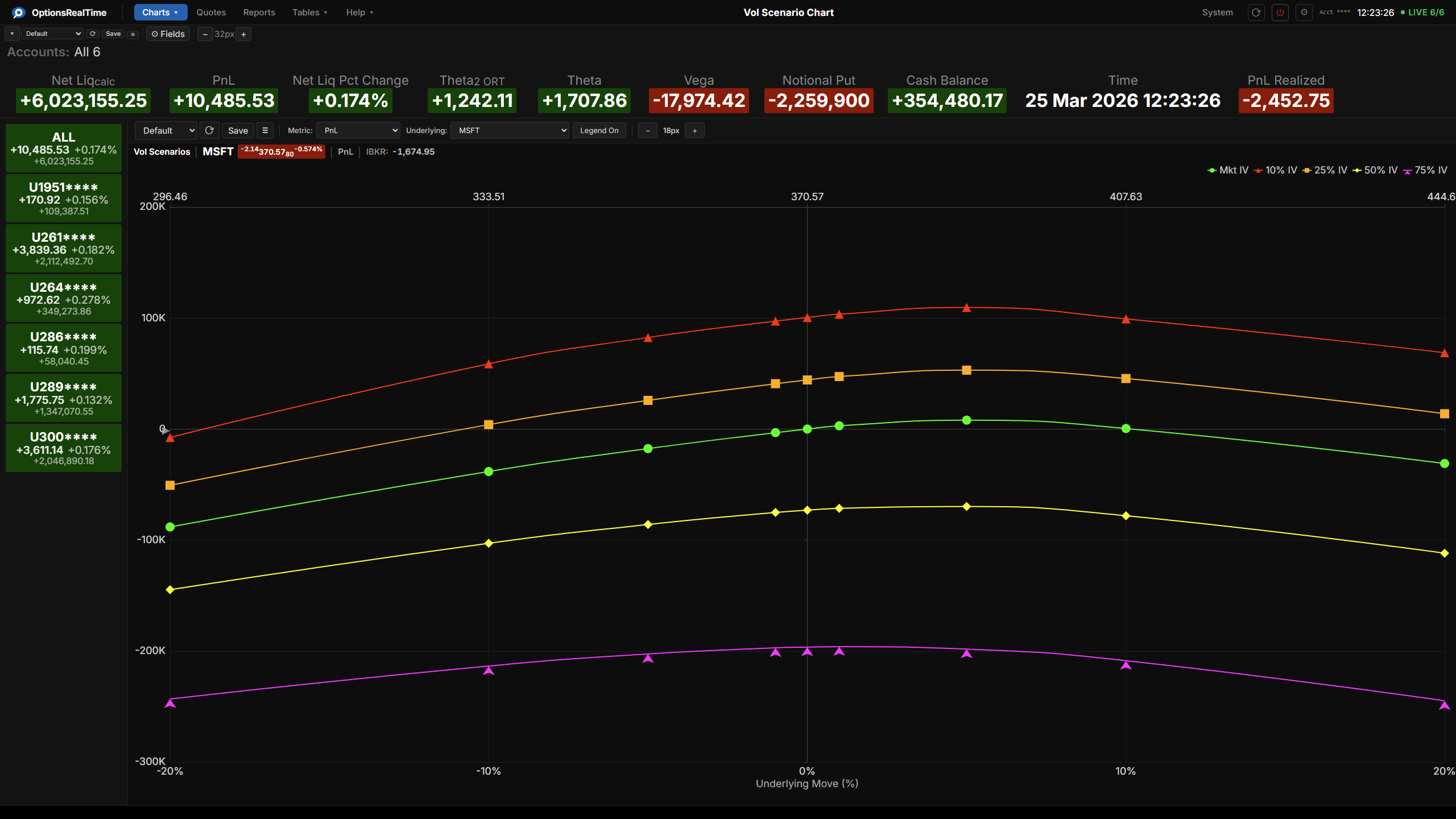
Vol Scenario
See How Your Portfolio Responds to Market Moves
- All IV scenario curves plotted simultaneously across the full price range
- Visualize any metric as a continuous curve across price moves from -20% to +20%
- IBKR reference marker validates model against real values
- More than a dozen metrics: Delta, Gamma, Theta, Vega, PnL, extrinsic value, and more
- Zooming and panning
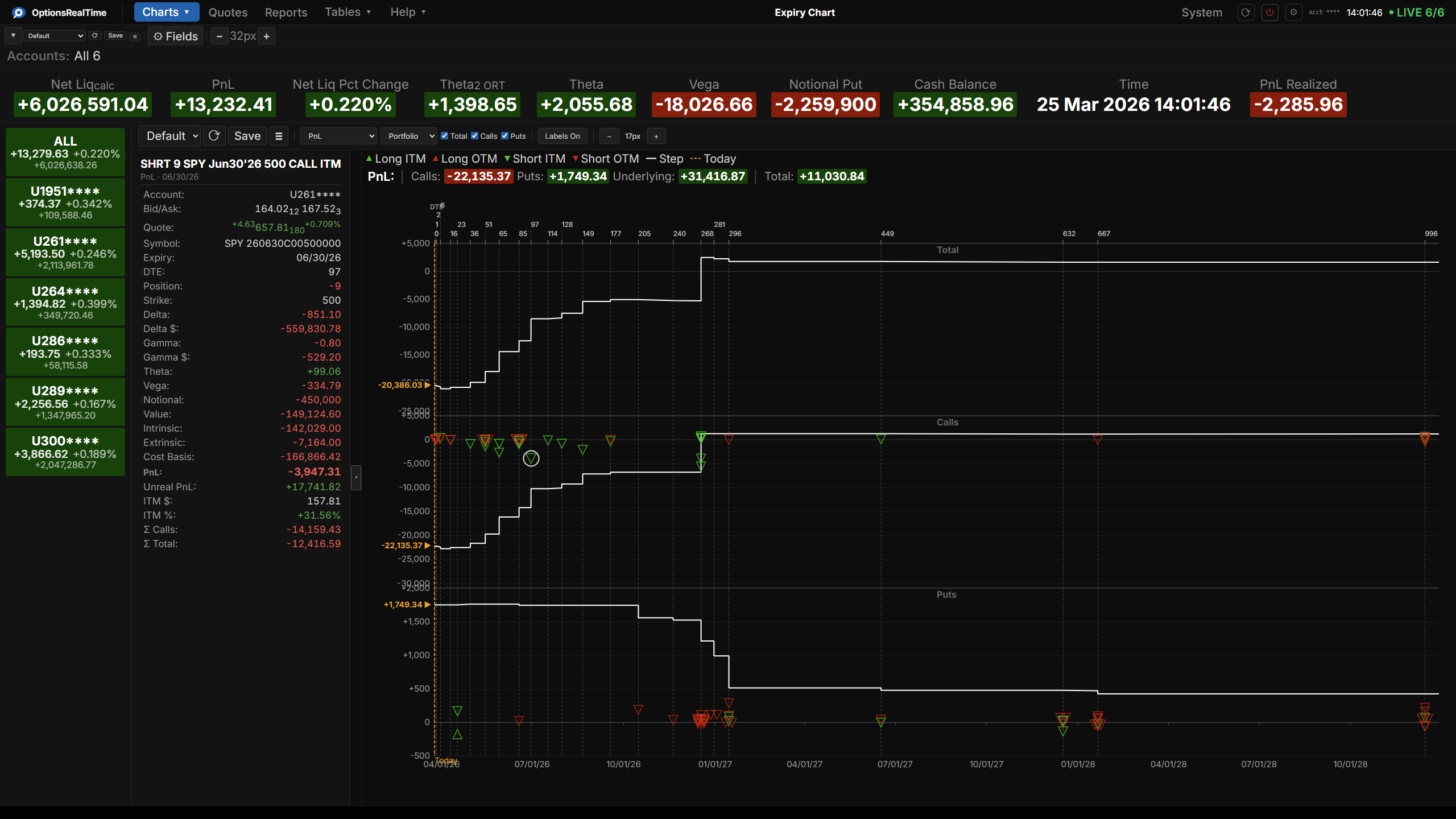
Expiry
Visualize Risk Aggregation Across Time.
- See how metrics such as PnL, Theta, and Extrinsic Value are distributed across your expiration dates
- Portfolio or any underlying. Your choice
- Total, Calls, Puts, Long/Short, ITM/OTM breakdowns
- 20+ risk metrics
- Zooming and panning
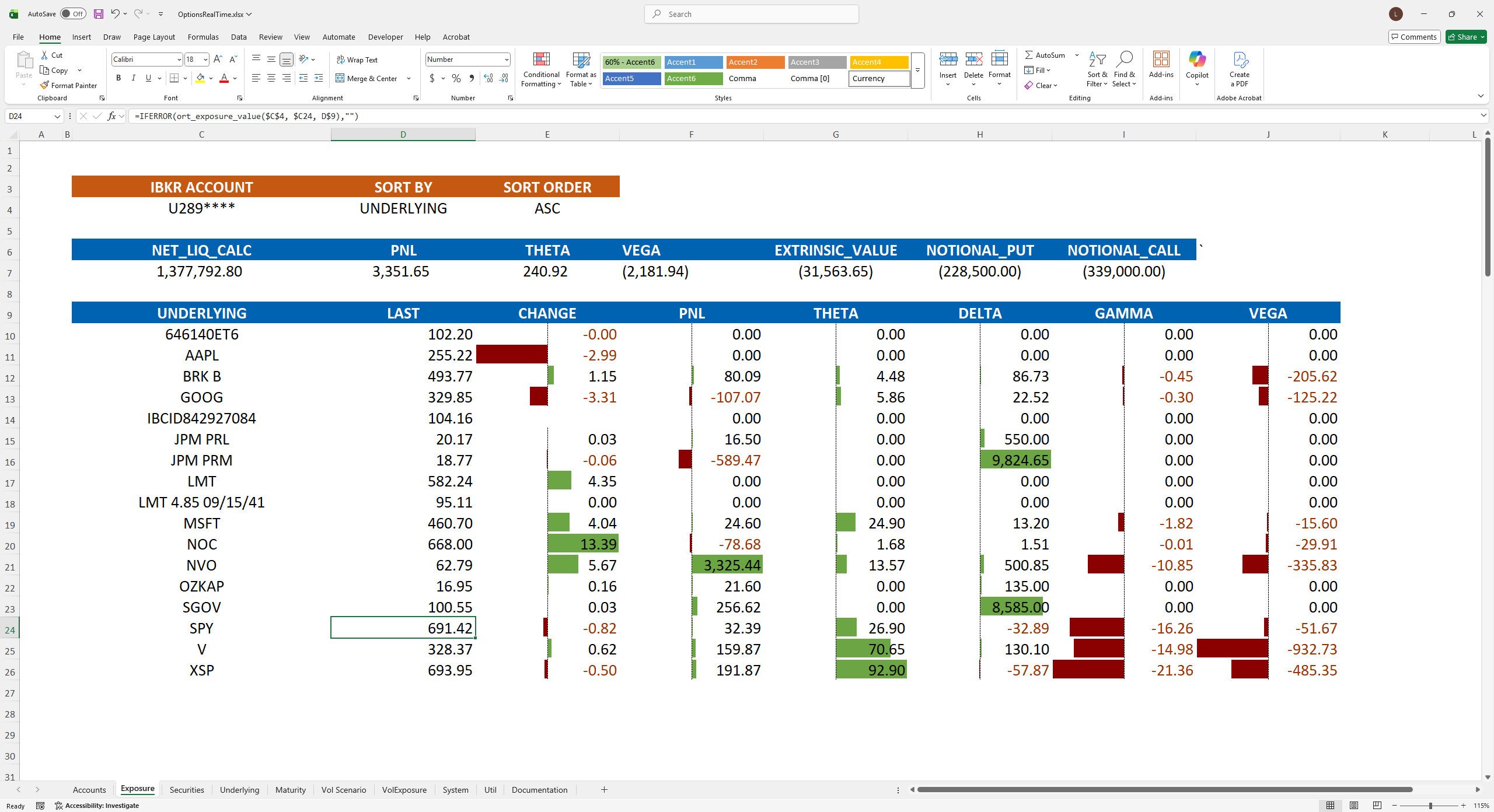
Excel
Create Your Own Views in Excel
- Receives the same real-time data stream as every other component in the platform
- Receives all data flowing through the platform in real time
- Subscribes to all accounts automatically
- Simple, powerful, table-based real-time formulas to access all data
- No code. No macros. Just formulas.
- Over 100 data fields at account, portfolio, underlying, and position levels
- Model the effects of price and volatility moves on PnL and Greeks directly in your spreadsheet
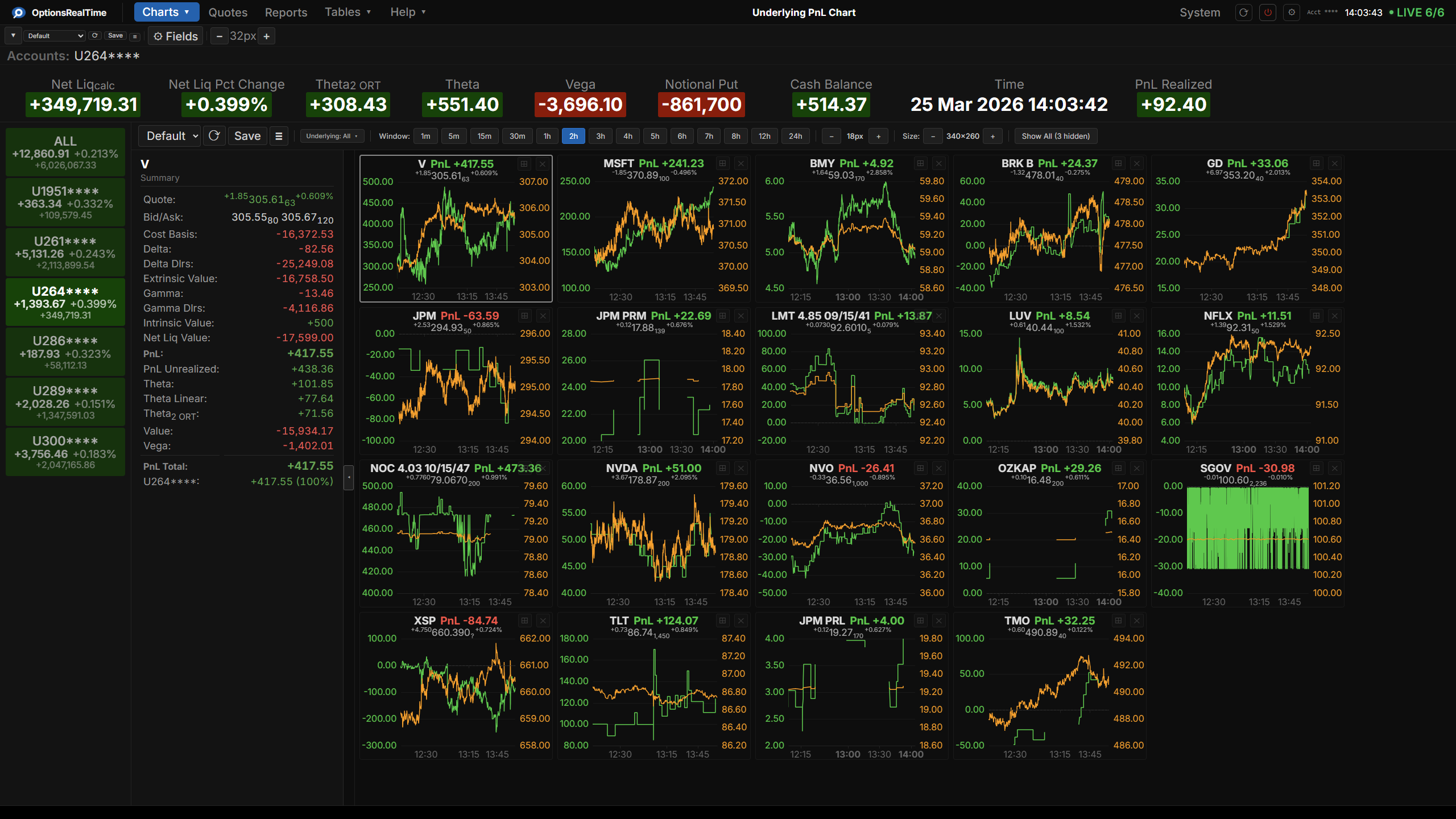
Underlying Visualization
Live PnL and Price. Every Underlying.
- Live PnL and price correlation charts for underlyings in selected accounts
- All selected accounts aggregated
- Click any chart to expand full screen and zoom/pan
- Configurable time windows
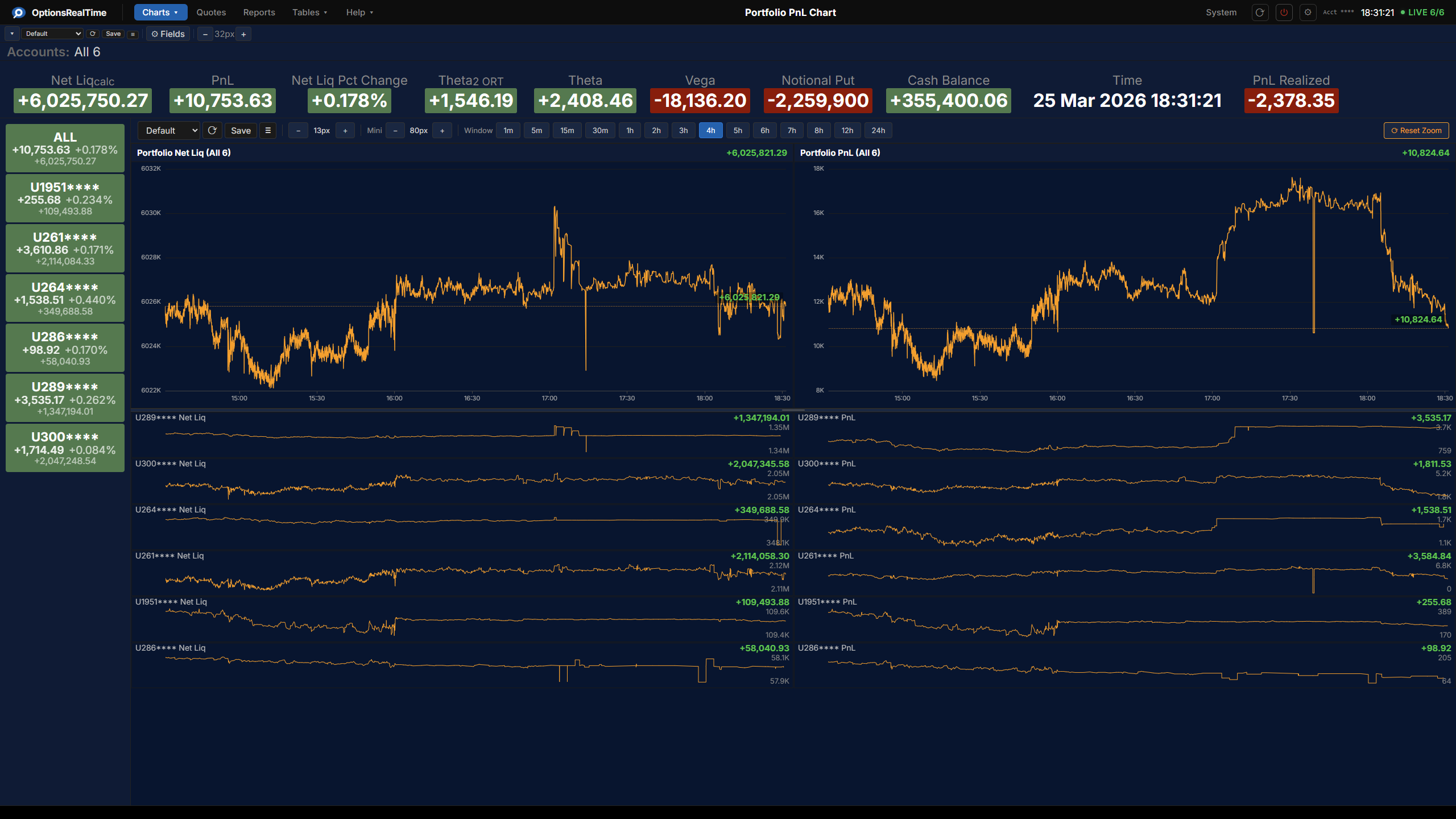
Portfolio Time Series
Track Profits and Losses Through the Day
- Portfolio-level PnL and Net Liq live throughout the trading day
- Per account and in aggregate
- Configurable time windows
- Zooming and panning
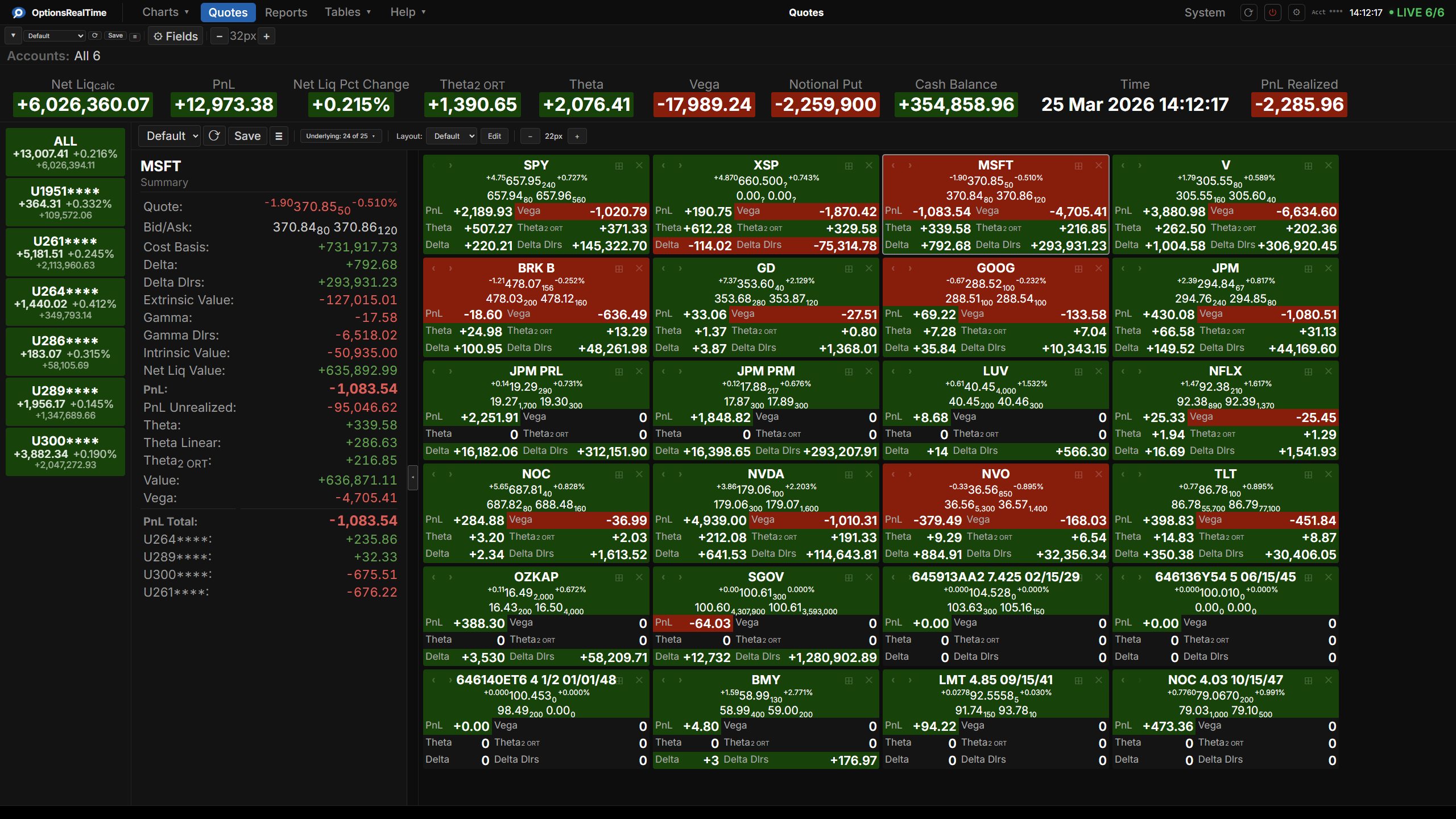
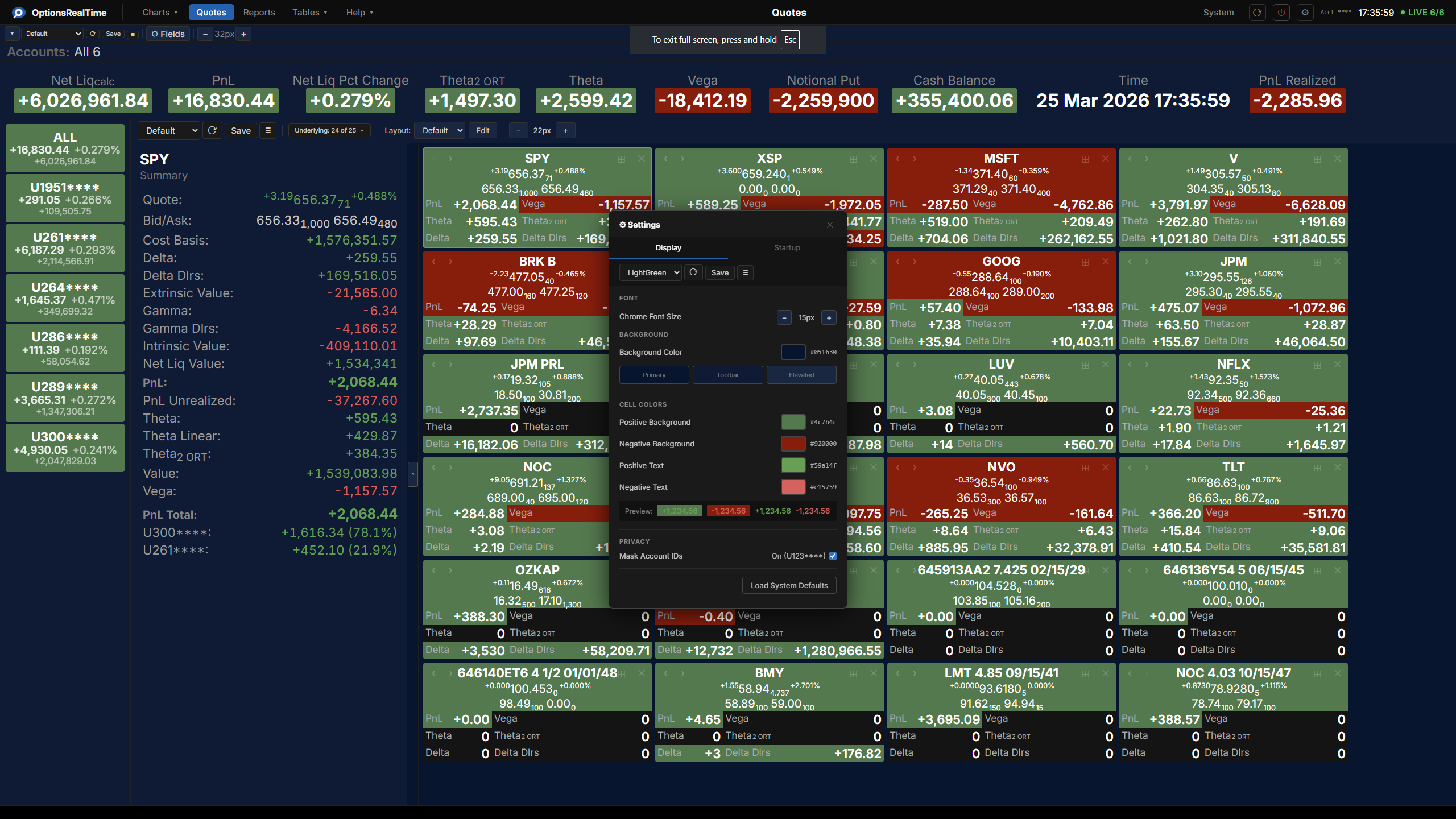
Quotes
Quote Tiles That Fit How You Trade.
- Aggregate metrics per underlying. PnL, Greeks, Vega, Theta, and more
- Flexible layout tool to arrange fields, rows, and columns per tile
- Save views by underlying group and flip between them instantly
- Drag to reorder, tiles rearrange automatically
- Maximize any tile to full panel or full screen
- Right-click any tile to explore filtered reports and charts
Metrics
Real-Time Portfolio Metrics Across Every View.
- Visible across every component. Always current, always aggregated for selected accounts
- Choose from 100+ fields. Add, remove, and reorder freely
- Drag and drop metric tiles to any position. Arrange across multiple rows to fit your workflow
- Hover any metric for an instant breakdown by account
- Save and name multiple metric layouts
Theming
Make It Look Exactly How You Want.
- Full theme control. Colors, fonts, backgrounds, and cell styling
- Applies across every component. Tables, charts, bars, and tiles
- Positive and negative value colors configurable independently
- Save multiple named themes and apply them in one click
- Live preview
- Light theme, dark theme, or anything in between
- All settings persist across sessions
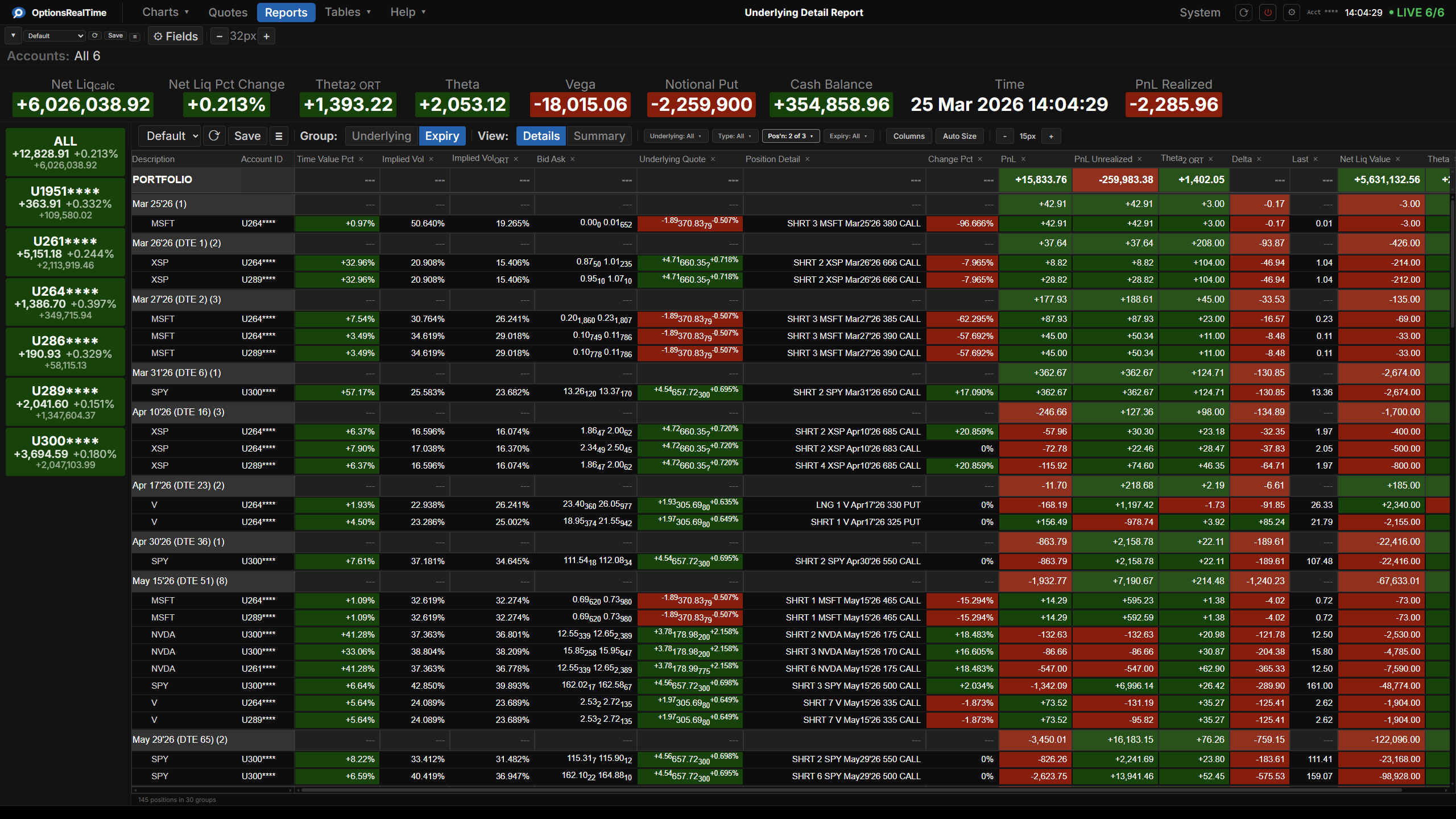
Reports
Risk by Underlying or Expiration. Every Combination.
- 100+ fields in any order
- Group by underlying or expiration
- Filter by any combination of underlying, security type, long/short, or expiration
- Detail and summary views
- Visual customization: zoom, row height, grid styling, alternating row colors, and more
- Right-click any row to explore filtered reports and charts
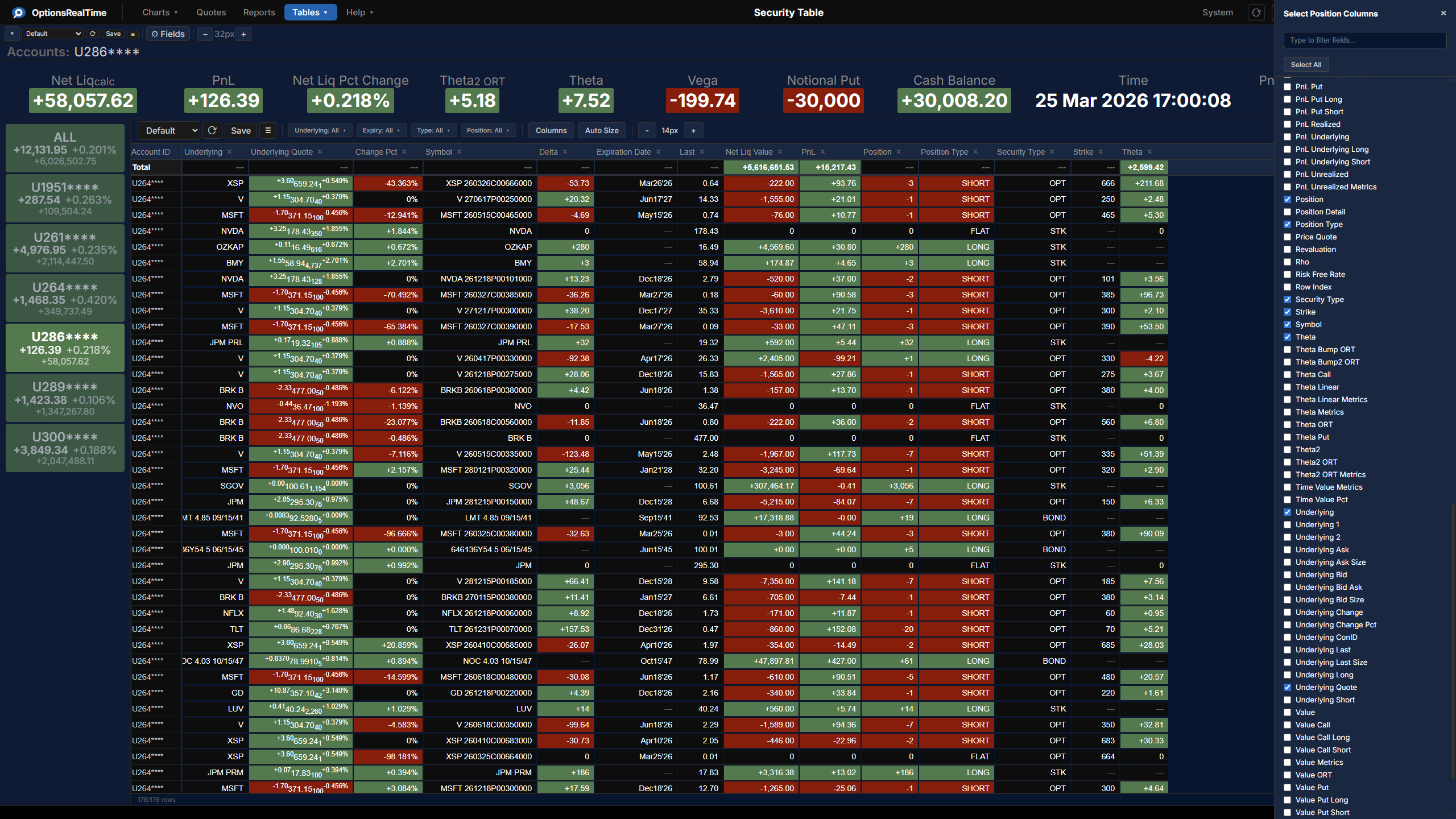
Data Tables
Foundational Streaming Data
- 350+ data fields across four real-time tables: Security, Exposure, Portfolio, and System
- Security: per-position detail with full Greeks
- Exposure: aggregated Greeks per underlying
- Portfolio: 100+ metrics including Greeks, PnL, value, and notional
- System: data streaming health and diagnostics
- Sortable, fully configurable columns
Infrastructure
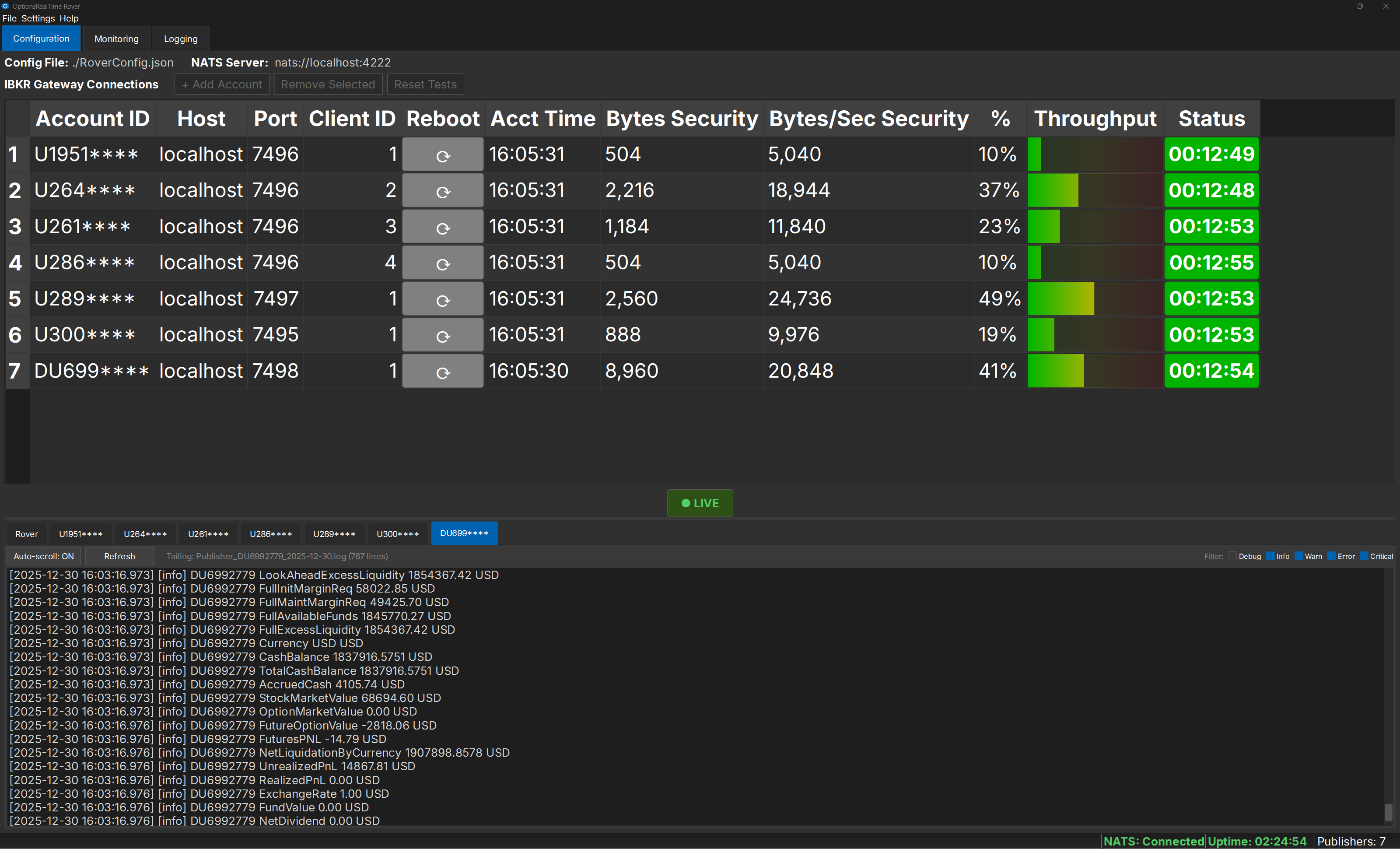
Rover, The Watchdog That Keeps Your Data Flowing
- Monitors all your TWS connections in one place
- Automatically reconnects when TWS drops
- Live connection health at a glance
- Choose from over 100 portfolio metrics, combined across all accounts