Live IBKR Data in Excel
A CSV export is a snapshot. The OptionsRealTime add-in streams live values from Interactive Brokers accounts into Excel through Real-Time Data (RTD) formulas, so a cell updates as the market moves. No file is exported or imported.
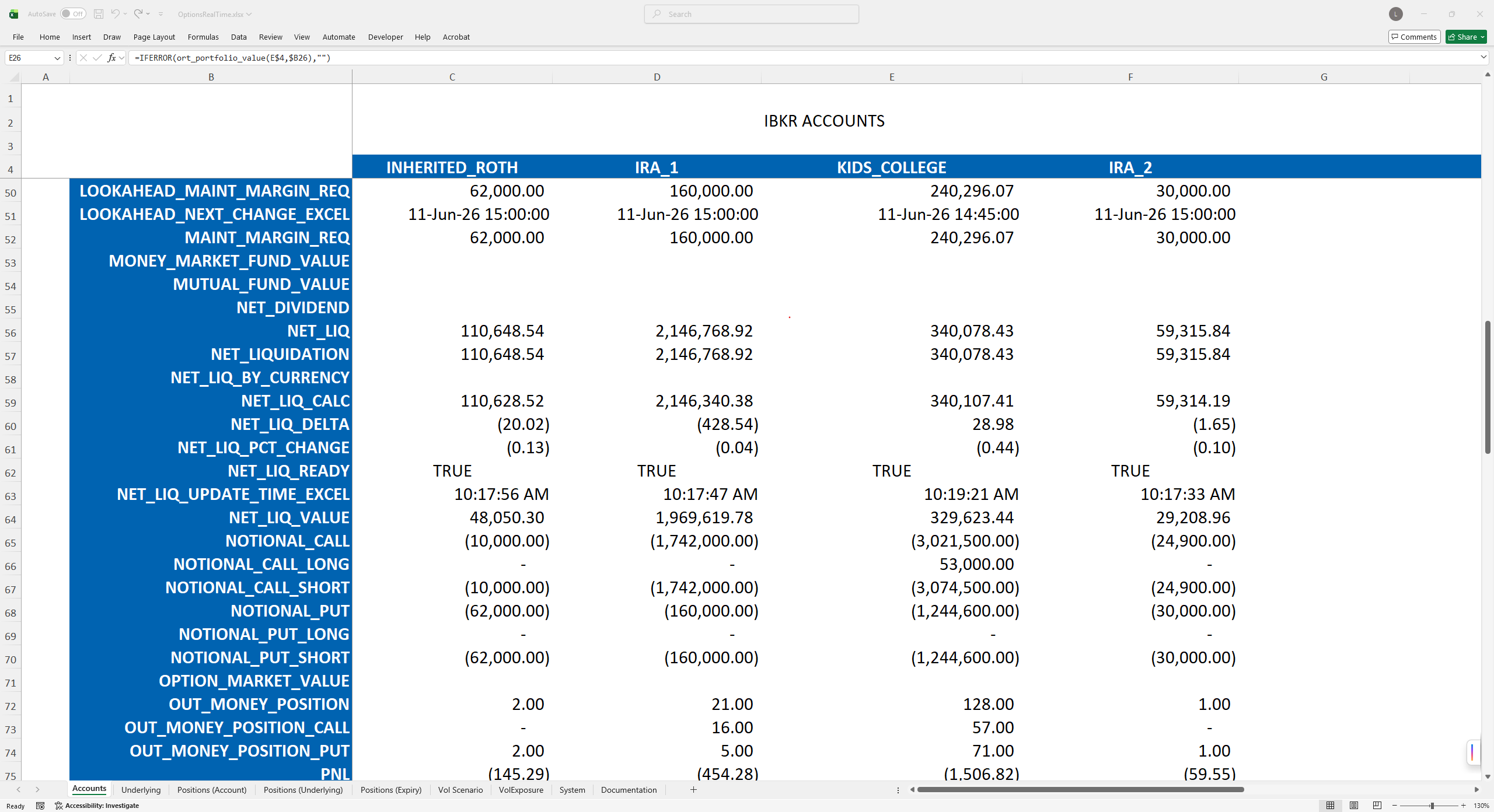
Each formula returns one value
Four tables are available for any account: position, underlying, portfolio and system. A formula requires an account, a table, a contract and a field, and returns the value. The field can be any column in that table, including PnL, delta, gamma, theta, vega, implied volatility, bid, ask and Net Liquidation. Scenario values are available too: one metric at nine implied volatility levels and nine underlying moves.
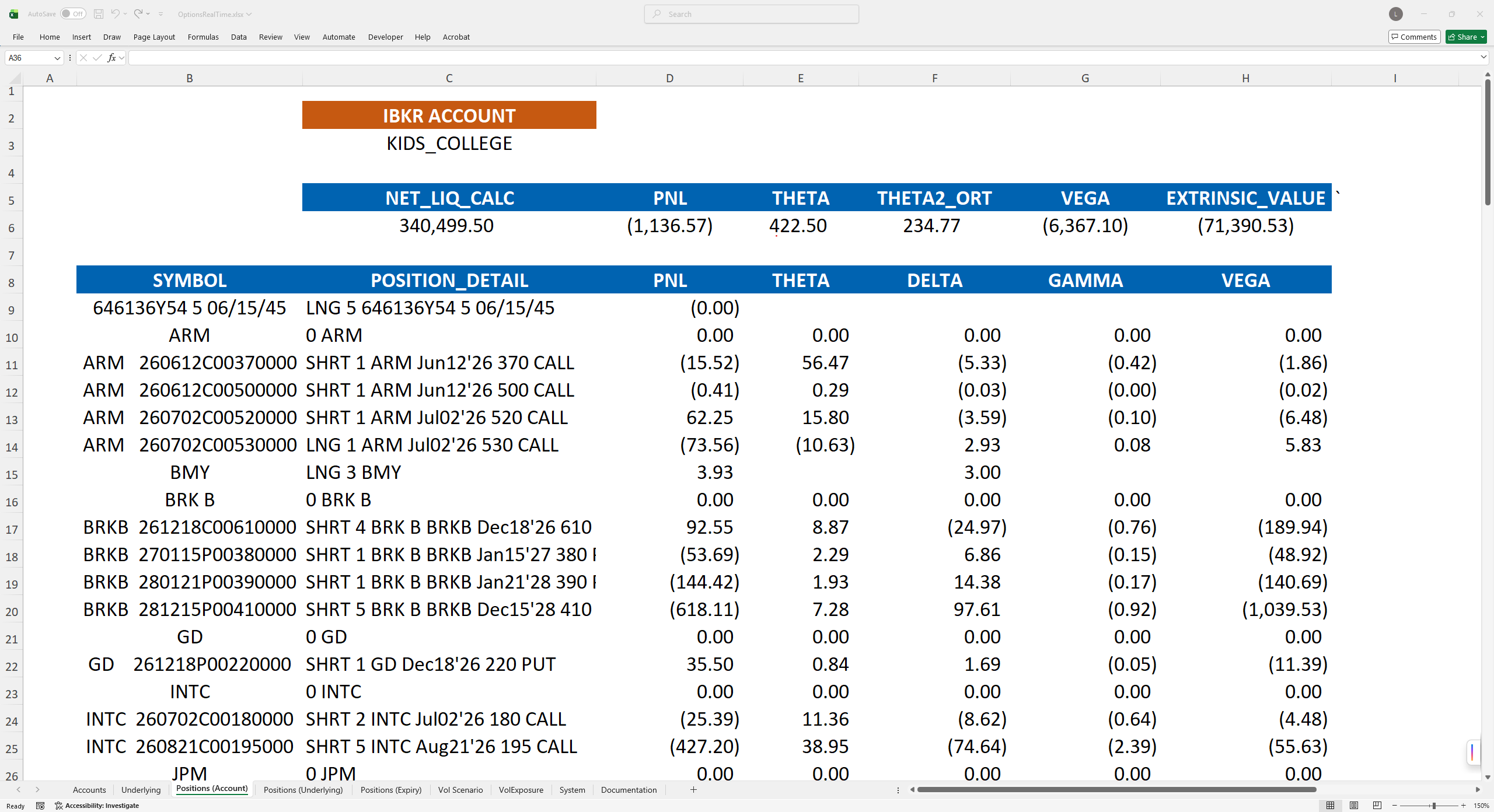
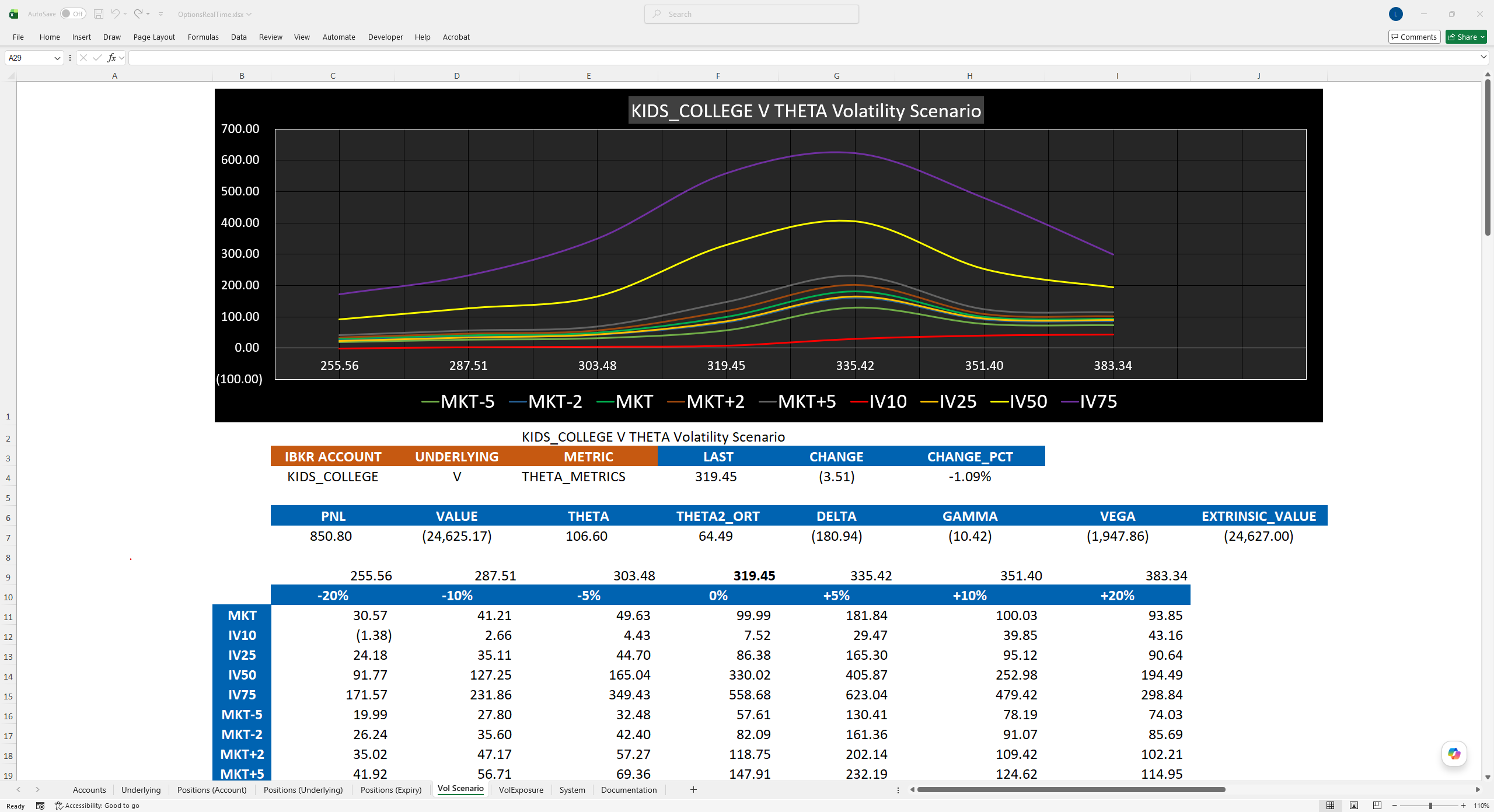
The download includes a template workbook
The workbook has sheets for accounts, underlyings, positions by account, positions by underlying, positions by expiration, vol scenarios, vol exposure and system health. You choose the account by name from a dropdown on each sheet, so no account ID appears in the file. It is a plain .xlsx with no Visual Basic and no macros.
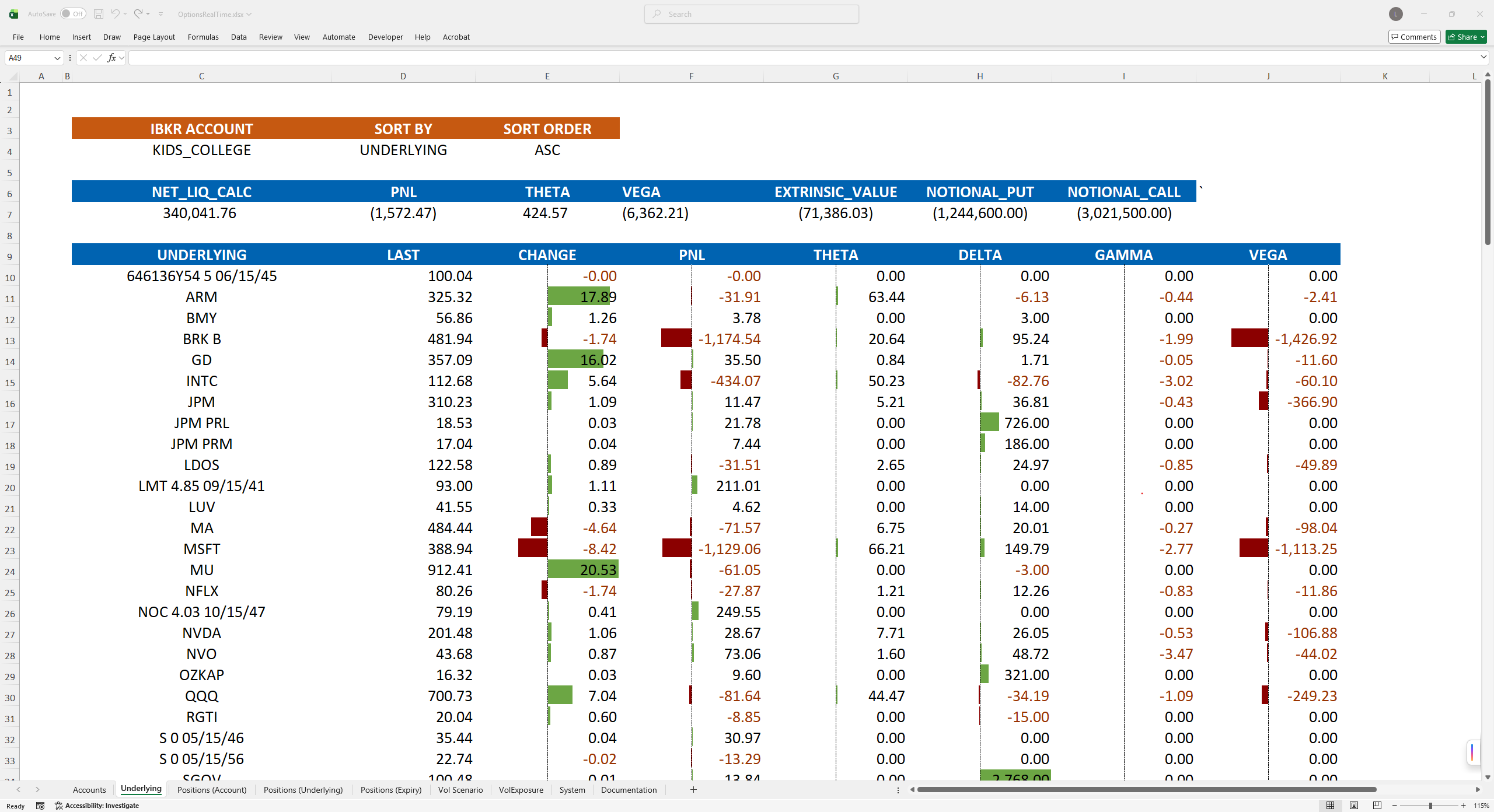
Excel reads the same data as the browser
Excel and the browser show the same numbers at the same moment. Excel can run on multiple machines on your local area network. The browser does not need to be open.
Documentation
The function reference lists each RTD formula and its arguments.